
Opening your studio0s
The sample below is ready to look at. Your editing tools are downloading.
First visit: a small Python engine, fonts and image tools. They run on your device.
What’s happening?
Connecting…
Downloaded tools are cached for later visits. Your text and projects stay on your device. On a slow connection, the first download can take a minute or more. You can type your words now; they’ll render when the tools are ready.
ANSI ShadowMEOWTEXT · LETTERING WITH CHARACTERANIMATED SAMPLE · TOOLS LOADING

Choose a specimen. See it here.
The animated sample uses the same renderer as your artwork.LOCAL STUDIO
Follow a shape you like. Keep a way back.
Tune
Changes preview as you edit
◆ Cyan arrows try · ↵ tune

◆ No border arrows try · ↵ tune
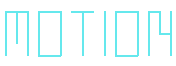
◆ Hue cycle arrows try · ↵ tune

Your artwork. All the way out.
To return and edit later, too.
Choose where it goes.
- HTML5
- Selectable text with live colour cycling, an embedded font, and Pause / Replay. Works offline.
- Animated PNG
- Lossless motion for browsers and viewers that support APNG.
- Animated GIF
- Shareable motion with 256 colours. Fine gradients can show colour bands.
- Kitty
- Artwork and animation in your terminal. Display the file with
cat your-file.kitty. - PNG
- The frame you see now, with its colours, borders and shadows.
- ANSI / text / IRC
- For places that accept text. Check the highlighted limits before downloading.
HTML, image and Kitty exports keep Meowtext’s cell geometry. Text exports use the receiving terminal’s font.