project · terminal
eventhorizon
A black hole that lives in a terminal window. It redraws Jean-Pierre Luminet's 1979 picture of a black hole live, dot by dot, with the gas around it orbiting at the speed it really would, so the picture never repeats.
The picture from 1979
In 1979, before anyone could photograph a black hole, the astrophysicist Jean-Pierre Luminet worked out what one would look like surrounded by a thin disk of hot gas. He calculated it on an IBM 7040 mainframe fed with punch cards. Then he drew the result by hand, placing dots of India ink on photographic negative paper, more of them wherever more light arrived (his own account; the paper is Luminet 1979, Astronomy & Astrophysics 75, 228).
Forty years later, the Event Horizon Telescope's image of the black hole in M87 showed the features his drawing predicted. The picture is also beautiful in its own right: a stipple drawing where the density of the ink carries the physics.
Bjorge Meulemeester's Python library luminet reproduces Luminet's method. eventhorizon is a fork of it, turned into something that runs all day in the corner of a desktop.
Before you look
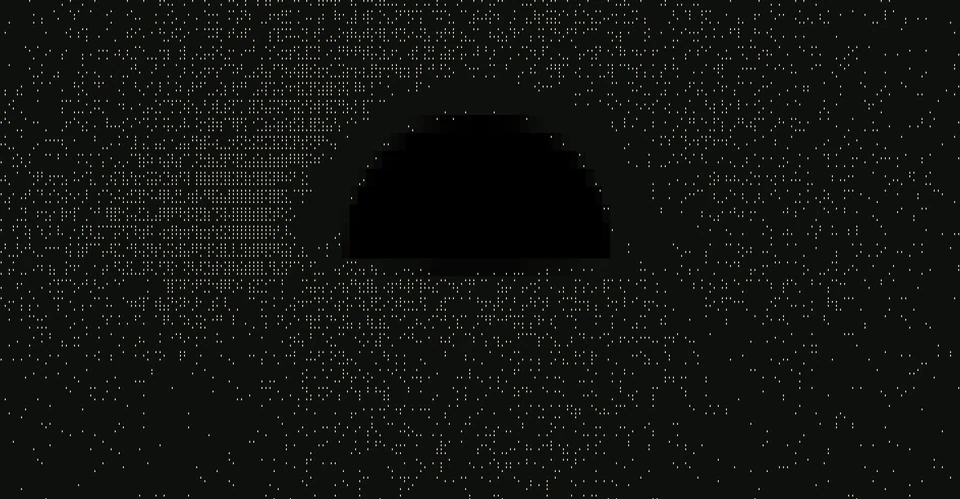
Picture a flat disk of glowing gas around a black hole, seen from just above its edge, the way Luminet drew it: 80° from looking straight down. If light travelled in straight lines, the disk would look like a thin ellipse, with the black hole a small dot in the middle hiding a sliver of the gas behind it. That is the picture below, drawn with the same dots and the same brightness of gas as the real one.
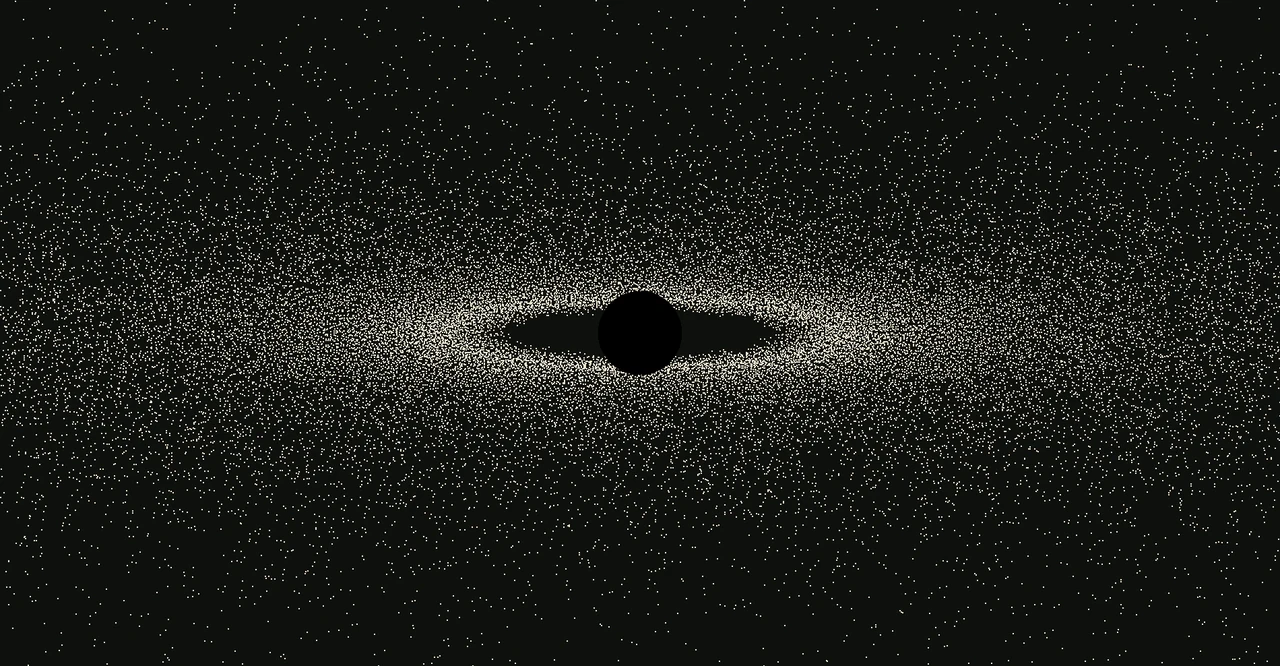
Now let gravity bend the light. Near the hole, light from the part of the disk behind it doesn't have to travel straight to reach you. And the gas is orbiting at a good fraction of the speed of light, toward you on one side and away on the other. Before opening the next picture, it is worth guessing what happens to the far side of the disk, to the size of the dark centre, and to the two sides.
Show the disk with gravity bending the light

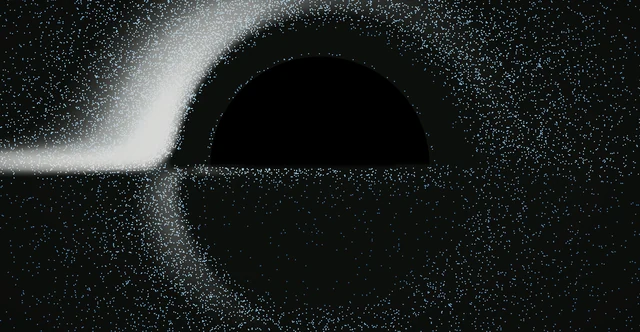
The far side of the disk is lifted over the top. Light leaving the gas behind the hole is bent up and over it on its way to you, so the far side of the disk appears as an arch above the shadow instead of being hidden.
The dark centre is far bigger than the hole. Light that passes closer than a critical distance is captured, so the shadow on the sky is about 2.6 times the width of the event horizon itself. It is an exact circle from any angle; here the near side of the disk passes in front of its lower half.
One side is much brighter. Gas coming toward you has its light compressed and beamed forward; gas moving away is dimmed and reddened. The brightness goes as the fourth power of that shift, which is why the left lobe carries most of the ink.
A thin second image hugs the shadow. Some light goes most of the way around the hole before escaping. It forms a faint ghost image of the whole disk close to the shadow's edge.
What moves
Luminet's picture is still. The widget keeps his method, but lets the gas move. Every dot is a parcel of gas orbiting at its true rate for its distance: the square root of mass over radius cubed. Inner gas laps outer gas, so patterns shear apart as they go round. The rings' periods are not whole-number multiples of one another, so the arrangement of dots does not come back around the way a looping animation would.
What makes that cheap is that the hard part does not move. For a given angle, where light from each point of the disk lands on the sky, and how its colour shifts, is worked out once. Each frame then carries the gas round and looks up where its light appears. The widget solves 31 of these maps, one every 0.05 radians of tilt, and blends between neighbours, so the view can tilt smoothly.
Lines through it
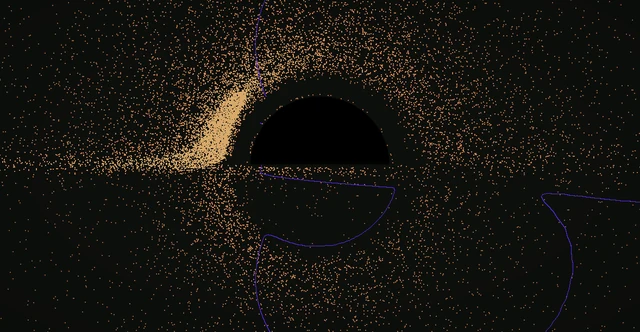
The luminet documentation draws the same geometry as lines. An isoradial connects every point where light from one ring of the disk lands, so it shows how badly the rings are bent. An isoredshift connects points whose light is shifted by the same amount. The widget can draw these over the dots, still or animated, including a sweep that passes one line across the disk after another.
Looks
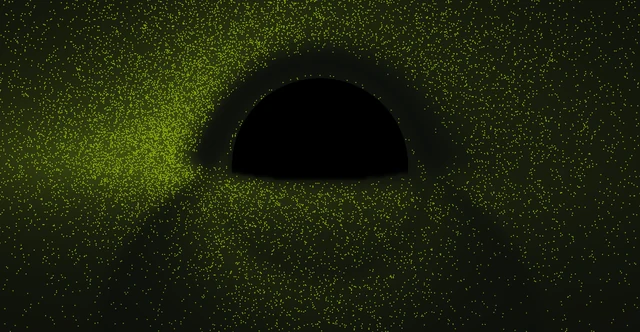
The dots can take any palette, a glow can spill between them, and everything can be inverted into a white hole. Looks are saved as presets, and it opens with a random one.






Events
A few things happen on top of the physics, by keypress or every few minutes on their own. They are theatre, but most of them are staged on the same geometry as the dots, so they bend the way the disk does.

Run it
It is made for kitty and Ghostty, which can show real pixels in a terminal. In other terminals it draws the same picture in braille dots, two across and four down per character.
On Debian or Ubuntu, download the .deb from the release page and install it:
sudo apt install ./eventhorizon_1.0.0-1_all.deb
eventhorizon
On Arch or Omarchy, download the .pkg.tar.zst from the same page:
sudo pacman -U eventhorizon-1.0.0-1-any.pkg.tar.zst
eventhorizon
From source, with Python 3.11 or later:
git clone https://github.com/0xmeowmeow/eventhorizon
cd eventhorizon
pip install '.[fast]'
eventhorizon
The first run spends about a minute solving its maps in the background. Everything works in the meantime; tilting just moves in steps until it is done. A few keys:
hevery key
1–9 < >presets; + saves the current look
[ ] - =tilt and zoom
p bpalette and glow
! @ # $probe, transmission, observatory, warp
Iinvert
It runs at 30 frames a second on the CPU, using roughly a third to half of one core, and drops its frame rate when the window isn't focused.
What it is not
- The hole does not spin. It is a Schwarzschild black hole; a rotating one would make the picture lopsided in ways this does not show.
- The disk is thin and steady, and each ring's brightness is an average over time from a standard model of such disks (Page and Thorne, 1974). Real disks are turbulent and thick.
- Dots are a way of drawing brightness, as Luminet's ink was. They are not individual clumps of gas you could see.
- No stars or background sky are bent around the hole.
Related
Other black holes for terminals, which do different things: ghostty-blackhole is a Ghostty shader that traces light past a hole in real time and bends your actual terminal text around it, after Eric Bruneton's black hole shader. TerminalTextEffects has a black hole effect that swallows text, and terminal-blackhole is a particle animation.